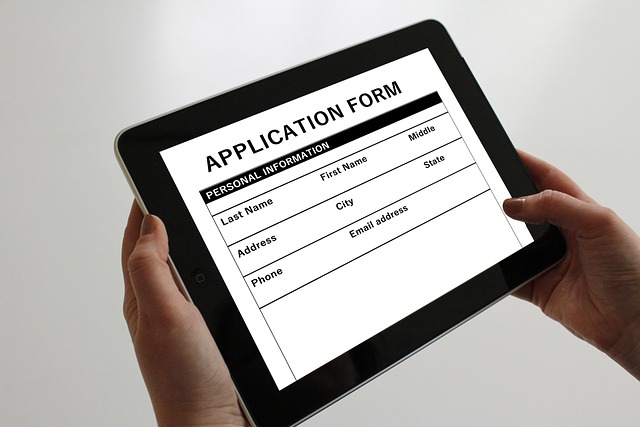
Job Application Tracker Excel
Introduction
In today’s competitive job market, keeping track of job applications can be a daunting task. A well-organized system can make a significant difference in managing your job search effectively. Utilizing an Excel spreadsheet for tracking job applications is a practical solution that can help streamline the process. This article outlines how to create and use a job application tracker in Excel.
Why Use an Excel Tracker?
Excel offers a versatile platform for tracking various aspects of your job search. Here are a few reasons why an Excel tracker can be beneficial:
- Organization: An Excel tracker allows for structured data entry, making it easy to find and analyze information.
- Customization: Users can tailor the spreadsheet to fit their specific needs, adding or removing columns as necessary.
- Data Analysis: Excel's built-in functions can help identify trends, such as the types of jobs that yield the best responses.
- Accessibility: Excel files can be easily shared or accessed from various devices, ensuring that your data is always at hand.
Setting Up Your Job Application Tracker
Creating a job application tracker in Excel involves several key components. Below are the steps to set up your tracker:
1. Create a New Spreadsheet
Open Excel and create a new spreadsheet. Save it with a relevant name, such as "Job Application Tracker."
2. Define Your Columns
Consider including the following columns to capture essential information:
- Job Title: The position you are applying for.
- Company Name: The organization offering the job.
- Date Applied: When you submitted your application.
- Status: Current status of your application (e.g., applied, interview, rejected).
- Contact Person: Name of the person you communicated with, if applicable.
- Follow-Up Date: When you plan to check in on your application.
- Notes: Any additional information or observations.
3. Input Your Data
As you apply for jobs, enter the relevant details into your spreadsheet. Consistency is key, so ensure that you update the tracker regularly.
4. Use Filters and Sorting
Excel allows you to filter and sort data easily. Use these features to view applications by status, date, or company, which can help prioritize your follow-ups.
Analyzing Your Job Search
Once you have accumulated a substantial amount of data, it can be helpful to analyze it for insights. Here are a few ways to do this:
- Identify Patterns: Look for trends in the types of jobs that lead to interviews or offers. This can inform your future applications.
- Evaluate Your Efforts: Assess how many applications you submit versus the responses you receive. This can help gauge the effectiveness of your resume and cover letter.
- Adjust Your Strategy: If certain industries or roles yield better results, consider focusing your efforts there.
Additional Tips for Effective Tracking
To enhance your job application tracking system, consider the following tips:
- Regular Updates: Make it a habit to update your tracker immediately after applying for a job or receiving a response.
- Set Reminders: Use calendar reminders for follow-ups to ensure you stay proactive in your job search.
- Backup Your Data: Regularly save and back up your Excel file to prevent data loss.
Conclusion
A job application tracker in Excel can be a valuable tool in managing your job search. By organizing your applications and analyzing your progress, you can make informed decisions that enhance your chances of securing a position. With a structured approach, the job search process can become more manageable and less overwhelming.

























 Protac Degraders

 Health
 Fitness
 Lifestyle
 Tech
 Travel
 Food
 Education
 Parenting
 Career & Work
 Hobbies
 Wellness
 Beauty
 Cars
 Art
 Science
 Culture
 Books
 Music
 Movies
 Gaming
 Sports
 Nature
 Home & Garden
 Business & Finance
 Relationships
 Pets
 Shopping
 Mindset & Inspiration
 Environment
 Gadgets
 Politics